Originally published on instaspy.ai by the InstaSPY.ai Team.
If you want an instant notification for new story posts without using your personal Instagram account, you need a dedicated tracking tool that operates independently of the Instagram app. By using a service that does not require an Instagram login, you can receive email or in-app alerts the moment a Instagram account publishes a new story, ensuring you never miss content before the 24-hour expiration window closes.
Key takeaways
- You can receive an instant notification for new story posts via email or in-app alerts without logging into a personal Instagram account.
- Automated tracking eliminates the need to manually refresh profiles to check for updates before the 24-hour story window expires.
- Tracking tools only work on Instagram accounts; private accounts and Close Friends stories remain inaccessible.
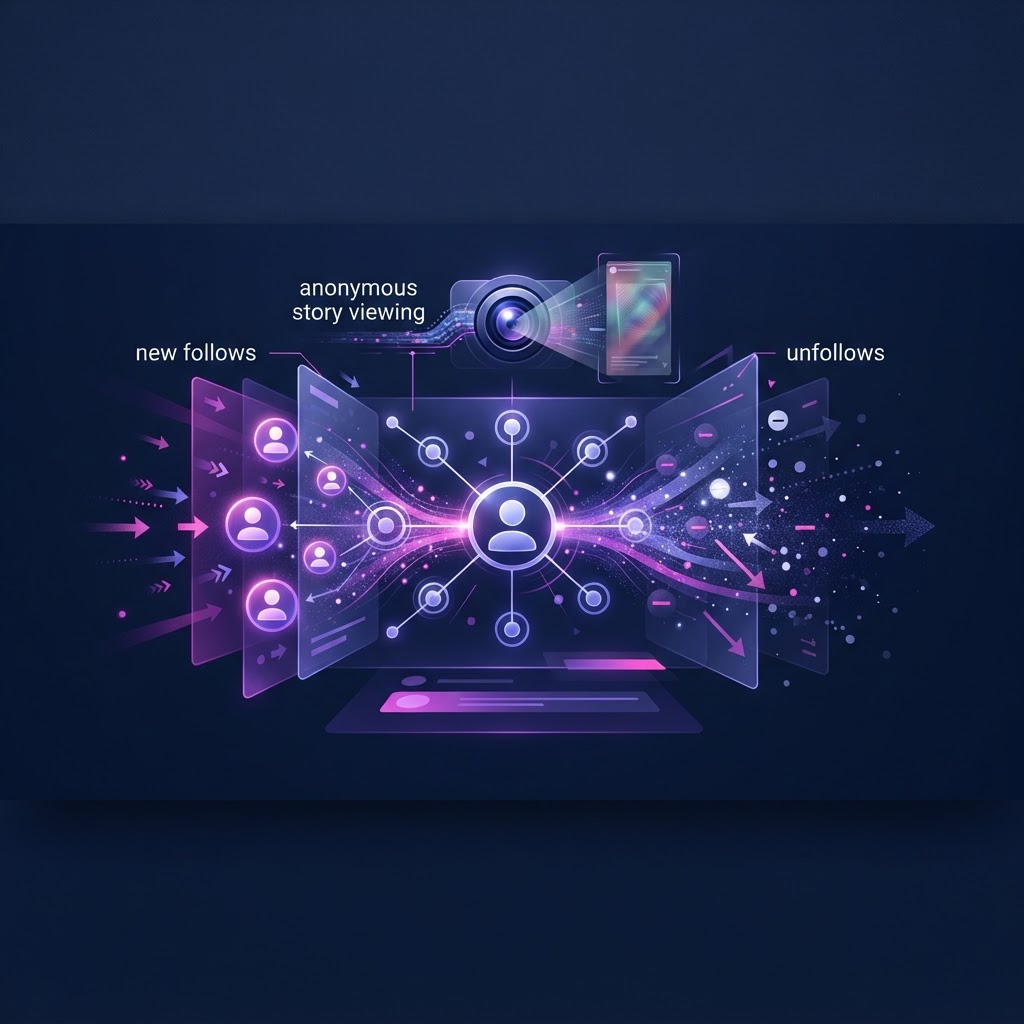
- Beyond stories, you can monitor profile changes, highlights, reels, and track when an account follows someone new.
- Using a dedicated web tool separates your viewing activity entirely from your personal social media presence.
The Value of Tracking Stories Without a Personal Account
Instagram stories are inherently ephemeral. Designed to disappear after exactly 24 hours, they create a natural sense of urgency. For users who need to monitor Instagram accounts—whether for professional market research, brand monitoring, or personal reasons—relying on manual checks is highly inefficient. If you are busy with work, traveling, or simply asleep, a crucial story can be posted and expire before you ever have the chance to open the app.
Furthermore, using your personal Instagram account to monitor these updates introduces complications. When you view a story while logged into the Instagram app, your username is recorded in the creator's viewer list. This list is visible to the account owner for up to 48 hours. If you are conducting competitive analysis or simply prefer to keep your viewing habits private, appearing on this list defeats the purpose of discreet observation.
By moving your monitoring workflow outside of the Instagram ecosystem, you solve both problems simultaneously. You no longer need to worry about your personal username appearing on a viewer list, because you are not logging in. More importantly, you shift from a passive, manual checking routine to an active, automated alert system. This fundamental change in how you interact with social media data saves time and ensures you capture the information you need before it vanishes.
How an Instant Notification for New Story Posts Changes Your Workflow
Implementing an instant notification for new story posts completely transforms how you gather information from Instagram. Without alerts, the monitoring process is tedious. You must remember to open a browser, navigate to a specific profile, and check for the colored ring around the profile picture. If you are monitoring multiple accounts, this manual routine becomes a significant drain on your daily productivity.
When you set up automated alerts, the information comes to you. The moment a tracked Instagram account uploads a new story, the system detects the update and pushes a notification to your email or your in-app dashboard. This means you can close your browser, focus on your actual work, and only engage with the content when an update actually occurs.
Consider a practical workflow for a social media manager monitoring a competitor's flash sales. Flash sales are often announced exclusively via stories and may only last a few hours. If the manager relies on manual checking, they might miss the announcement entirely. With an instant notification for new story posts, the manager receives an email the minute the competitor's story goes live. They can immediately view the story, analyze the promotion, and adjust their own marketing strategy accordingly, all without the competitor ever seeing the manager's personal or brand account in their viewer list.
What You Can Actually View and Track
When setting up a tracking workflow, it is crucial to understand the boundaries of what is technically possible and what is restricted by Instagram's architecture. No tool can bypass Instagram's core privacy settings.
First and foremost, tracking is strictly limited to Instagram accounts. If an account is set to private, Instagram only serves its content to approved followers. Because a tracking tool operates without your personal login credentials, it sits outside that approved circle and cannot access the media. Similarly, stories shared exclusively to a "Close Friends" list are restricted to that specific audience and will not trigger public alerts or be visible through public tracking methods.
However, for Instagram accounts, the available data is extensive. You can view active stories within their 24-hour window. You can also view story highlights—the curated collections of past stories that the account owner has chosen to pin to their profile. Reels and standard grid posts are also accessible.
It is important to set realistic expectations about the data you receive. You will see the media (the photo or video) and the text or stickers placed on it by the creator. You will not see engagement analytics, such as who else viewed the story, how many times it was replayed, or direct messages sent in response to it. The goal is content visibility, not account administration.
Step-by-Step: Setting Up Your Anonymous Viewing and Alerts
Transitioning from manual checking to an automated workflow requires a brief setup process. Here is a step-by-step guide to establishing your tracking system using a dedicated web tool.
Step 1: Identify the target accounts. Make a list of the exact Instagram usernames you need to monitor. Double-check the spelling, as usernames must be exact. Verify that these accounts are currently set to public by viewing them in a logged-out browser window.
Step 2: Access your tracking dashboard. Navigate to your chosen tracking service. Because you are prioritizing separation from your personal identity, ensure you are using a service that explicitly does not ask for your Instagram username or password.
Step 3: Input the username. Enter the target Instagram username into the search or tracking field. The system will query the Instagram profile and return the current active stories, highlights, reels, and profile media.
Step 4: Enable tracking and alerts. If you are using a subscription tier that supports automation, locate the tracking toggle for that specific profile. Activate it, and configure your alert preferences. Choose whether you want to receive an instant notification for new story posts via email, an in-app alert, or both.
Step 5: Monitor your inbox. Once configured, the system runs in the background. You do not need to keep the tab open. When the target account posts, you will receive your notification, prompting you to log into your tracking dashboard to view the new media.
Framework: Manual Browser Viewing vs. Dedicated Tracking
To understand why a subscription tracking service is often necessary for serious monitoring, it helps to compare it directly against manual browser viewing.
| Feature / Approach | Manual Browser Viewing | Dedicated Tracking Subscription |
|---|---|---|
| Instagram Login Required | No | No |
| Access to Public Stories | Yes (requires manual search) | Yes (organized in a dashboard) |
| Alerts for New Stories | No | Yes (Email and in-app notifications) |
| Follower Change Tracking | No | Yes (Alerts for new follows/unfollows) |
| Time Investment | High (constant manual refreshing) | Low (set it and wait for alerts) |
| Risk of Missing 24h Window | High | Low (instant notifications prevent this) |
This comparison highlights the core difference: manual viewing is reactive and time-consuming, while dedicated tracking is proactive. If your goal is simply to check a single story once, a manual browser search suffices. If your goal is ongoing, reliable monitoring without missing expiring content, the automated approach is required.
Try InstaSPY now
View your first Instagram profile anonymously for free
Enter a username to view available stories, highlights, reels, and posts without an Instagram login.
No Instagram password required
Troubleshooting: Why You Might Miss a Story
Even with an automated system in place, there are specific scenarios where a story might not appear in your dashboard. Understanding these limitations prevents frustration and helps you diagnose the issue quickly.
The most common reason a story fails to load is a change in account privacy. If a Instagram account switches to private, all external access is immediately cut off. Your tracking tool will no longer be able to fetch new stories, and alerts will cease.
Another frequent issue involves the "Close Friends" feature. Creators often use this to share more personal updates with a restricted list while keeping their main profile public. Because these stories are not broadcast to the general public, they will not trigger an instant notification for new story posts and will not be visible in your dashboard.
Additionally, creators can manually hide their stories from specific users or demographics, or delete a story shortly after posting it. If a story is deleted before the tracking system completes its next cycle, the media will be unavailable. For a deeper dive into these specific visibility issues, read our guide on Why Can't I See Someone's Instagram Story? 8 Real Reasons.
If you suspect the account owner has actively restricted access, you might find our resource on How to Tell If Someone Hid Their Instagram Story From You helpful for understanding Instagram's native blocking mechanics.
Beyond Stories: Tracking Follower and Unfollower Changes
While stories are the most time-sensitive content on Instagram, they are not the only data points worth monitoring. The connections an account makes—who they follow and who follows them—often provide critical context about their network, partnerships, or personal interests.
Advanced tracking tools offer features like a Follow Tracker. This feature monitors the target account's following list and follower count over time. Instead of manually scrolling through thousands of names trying to spot a new addition, the system logs the changes automatically.
With a Follow Tracker, you can receive alerts (both in-app and by email) when a watched account follows someone new. This is particularly useful for brand monitoring; if a competitor suddenly follows a cluster of influencers or suppliers, it can signal an upcoming campaign or product launch. Similarly, tracking unfollower changes can indicate the end of a partnership or a shift in brand strategy. Combining these network alerts with an instant notification for new story posts provides a comprehensive overview of an account's public activity.
Privacy and Security Best Practices for Story Viewing
When utilizing third-party web tools to view Instagram content, maintaining your own digital hygiene is paramount. The primary rule is to never provide your personal Instagram login credentials to any service claiming to offer anonymous viewing. Legitimate tools operate by querying public data from their own infrastructure, not by piggybacking on your personal account.
If a service asks for your password, it is likely attempting to use your account as part of a bot network, which violates Instagram's terms of service and puts your account at severe risk of suspension. Always prioritize tools that function entirely within your web browser without requiring any connection to your social media profiles.
Furthermore, be mindful of the networks you use when accessing these dashboards. While the viewing itself does not link back to your Instagram account, standard internet privacy practices still apply. For a comprehensive look at protecting your digital footprint while monitoring social media, review The Complete Anonymous Instagram Story Viewing Privacy Guide.
Frequently Asked Questions (FAQ)
Can I get an instant notification for new story posts on a private account?
No. Tracking tools and alert systems only work for accounts that are set to public. If an account is private, Instagram restricts its content to approved followers only, and external tools cannot access or track it.
Do I need to log into my Instagram account to receive these alerts?
No. The primary benefit of using a dedicated tracking tool is that it operates entirely independently of your personal Instagram account. You do not need to log in, ensuring your personal profile is never linked to your viewing activity.
Will the account owner know I am tracking their stories?
Because you are not logging into your personal account to view the media, your personal username will not appear in their viewer list. The tool accesses the public data externally.
What happens if a story is posted to Close Friends?
Stories shared exclusively to a Close Friends list are not public. Therefore, they cannot be accessed by external tracking tools and will not trigger a new story notification.
Can I track who an account recently followed?
Yes, if the tool includes a Follow Tracker feature. This allows you to monitor changes in a Instagram account's following list and receive alerts when they follow someone new or when their follower count changes.
How long do I have to view a story after receiving an alert?
Instagram stories expire 24 hours after they are posted. You must log into your tracking dashboard and view the media within that 24-hour window before it becomes unavailable.
Conclusion
Relying on manual checks to monitor expiring social media content is a guaranteed way to miss critical updates. By shifting to an automated workflow, you regain your time and ensure you capture the information you need before the 24-hour window closes.
InstaSpy.ai provides a comprehensive solution for monitoring public Instagram activity without ever requiring an Instagram login. With InstaSpy.ai, you can watch stories, highlights, reels, and profile media in one centralized dashboard. By upgrading to a subscription, you unlock powerful automation: track a profile to receive an instant notification for new story posts, and utilize the Follow Tracker to get in-app and email alerts when a watched account follows someone new or experiences follower changes.
While no tool can access private accounts or Close Friends content, InstaSpy.ai offers the most reliable way to monitor public data with transparent, cancel-anytime billing. Stop missing expiring content and automate your monitoring today. Visit https://instaspy.ai to start tracking.
Related: Instagram Story Viewer Privacy Explained: How Read Receipts Work
Related Profiles
InstaSpy.ai provides tools for viewing and analyzing public Instagram profiles privately, with no Instagram login.